
Is FlixFox APK Safe to Download and Install?
If you are planning to install FlixFox outside the Google Play Store, you may be wondering: is FlixFox APK safe to download and install? It is a sensible question because Android APK files downloaded from the web do not always receive the same checks as apps installed directly through an official app store.
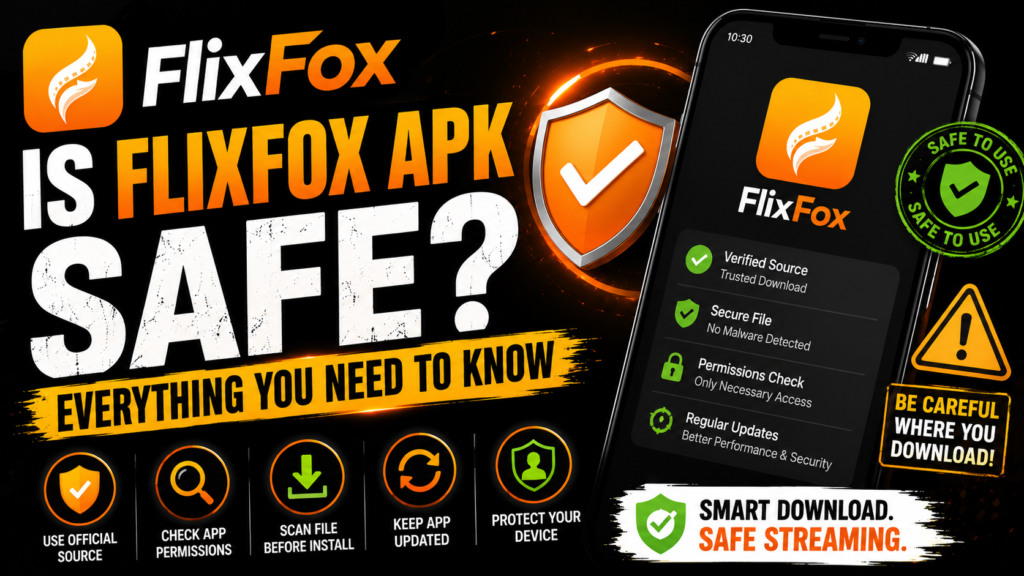
The safety of an APK depends on more than the app name. The website you download it from, whether the package has been modified, the permissions it requests, and how you install it all matter.
Instead of assuming that every FlixFox APK is safe or unsafe, this guide explains the checks you should make before downloading and installing the app on Android.
Is FlixFox APK Safe?
It is not responsible to describe every FlixFox APK download available online as completely safe. Different websites can distribute different APK files under the same app name, and a familiar filename does not prove that the package has not been changed.
The better approach is to evaluate the specific APK you intend to install.
Before installing FlixFox, check where the file came from, whether the version information looks consistent, and whether anything about the download appears suspicious.
You should be particularly cautious when a website offers modified packages with names such as:
- FlixFox MOD APK
- FlixFox Premium Unlocked
- FlixFox Cracked APK
- FlixFox Unlimited APK
- FlixFox Pro MOD
These labels normally indicate that someone claims to have modified the original application. A modified APK should not automatically be treated as equivalent to a standard FlixFox package.
If you only want the normal application, there is little reason to introduce the additional uncertainty of an unofficial modification.
What to Check Before Downloading FlixFox APK
The first security check should happen before you tap the download button.
Look carefully at the website providing the APK. Avoid pages that automatically redirect you through multiple unrelated sites, open unexpected downloads, or pressure you into installing additional applications.
Next, check the information shown for the APK. Details such as the version number, Android requirement, and file information should be reasonably consistent.
If one page describes a file as one FlixFox version while the downloaded filename or installation screen indicates something completely different, stop and verify it before continuing.
You should also avoid assuming that a higher version number means a better or safer APK. Anyone can put words such as “latest version” in a page title or filename.
If you already have FlixFox installed, check your existing version through:
Settings → Apps → FlixFox → App Info
Then compare it with the version you intend to download.
For the current version information used on this website, visit the main FlixFox APK Download page rather than downloading several similarly named files from different sources.
How to Check a FlixFox APK Before Installing
After downloading the APK, don’t rush through Android’s installation screens.
First, confirm that the file you downloaded is actually the file you intended to get. Unexpected filenames, unusual file extensions, or additional downloads should be treated cautiously.
You can also scan an APK using a reputable security scanner before installation. A scan can provide another useful signal, although no single scanning result should be considered an absolute guarantee that an application is risk-free.
Android itself may also display security warnings or information during installation. Read these messages instead of automatically dismissing them.
If Android or your device’s security system flags the package, investigate the warning before proceeding.
Another useful habit is to keep Android security features and your operating system updated. Current security components can provide additional protection when installing and running applications.
Most importantly, don’t disable broad security protections simply because a website tells you that doing so is required.
Check FlixFox App Permissions Carefully
Permissions tell you what parts of your device an application is requesting access to.
Android may allow an app to request access to storage, notifications, media, microphone, location, contacts, camera, and other device functions. Whether a permission makes sense depends on what the application needs to do.
When installing or using FlixFox, review permissions instead of approving everything automatically.
Ask a simple question:
Does this permission make sense for the feature I am trying to use?
For example, access related to files or media may have an understandable purpose when an application provides offline downloads. A completely unrelated permission deserves more scrutiny.
You can review permissions later through Android settings:
Settings → Apps → FlixFox → Permissions
The exact menu can vary by phone manufacturer.
If you are uncomfortable with a permission, deny it where Android allows and see whether the feature you need still works. You can normally return to the permissions screen later if necessary.
Permission control is useful not only for FlixFox but for any APK installed on an Android device.
How to Install FlixFox APK More Safely
Android normally restricts applications from installing APK files unless you give the relevant browser or file manager permission.
If you need to install FlixFox manually, Android may ask you to allow installations from that particular source.
Only enable the permission for the app you are actually using to open the APK. There is usually no reason to broadly enable APK installation for multiple applications.
After the installation is complete, you can review or disable that installation permission again in Android settings.
A sensible installation process looks like this:
- Check the FlixFox version you want.
- Download the APK from a source you trust.
- Verify that the download completed normally.
- Review the file before opening it.
- Pay attention to Android security warnings.
- Review requested app permissions.
- Install only if the information matches what you expected.
If Android refuses to install the APK, don’t bypass security controls without understanding the reason.
Installation failures can be caused by an incomplete APK, insufficient storage, Android incompatibility, or a package conflict. Our FlixFox Not Working guide covers these installation problems in more detail.
FlixFox APK Safety Tips After Installation
Security checks should not stop once FlixFox has been installed.
Keep an eye on how the application behaves. Unexpected pop-ups outside the app, unexplained downloads, unusual permission requests, or other unexpected device behavior deserve attention.
Keep both Android and FlixFox reasonably current. Newer software releases can include bug fixes and compatibility changes that older versions do not have.
If you need to move to a newer FlixFox release, follow the How to Update FlixFox APK guide instead of uninstalling and reinstalling random packages.
You should also periodically review permissions. Android makes it possible to see which permissions an application currently has and remove access you no longer want to provide.
Avoid installing multiple modified versions of the same application. Apart from security concerns, different packages can cause installation conflicts and make future updates more difficult.
If you no longer use an APK installer saved in your Downloads folder, you can remove the installer file to free storage. Deleting the original APK after successful installation does not normally uninstall the application itself.
FAQs About FlixFox APK Safety
Is FlixFox APK safe to download?
Safety depends on the specific APK you download and where it comes from. Check the source, version information, file, Android warnings, and requested permissions rather than assuming every file carrying the FlixFox name is safe.
Can FlixFox APK contain a virus?
Any APK obtained from an untrusted or unknown source can potentially carry unwanted or malicious modifications. This is why checking the source and scanning suspicious APK files is important.
Is FlixFox available on the Google Play Store?
If you cannot find the specific FlixFox APK you are looking for through Google Play, avoid assuming similarly named apps are the same product. Verify the developer and application details before installing anything.
Is FlixFox MOD APK safe?
A modified APK introduces additional uncertainty because the package may have been changed by a third party. Treat MOD, cracked, unlocked, and similar packages cautiously.
What permissions does FlixFox need?
Permissions can depend on the app version and Android version. Review the permissions shown on your own device under FlixFox App Info rather than relying only on a list from a website.
Should I scan FlixFox APK before installing it?
Scanning an APK with a reputable security tool can provide an additional safety check. However, a scan should be considered one signal rather than an absolute guarantee.
What should I do if Android warns me about the APK?
Don’t automatically ignore the warning. Check the APK source, version, and reason for the warning before deciding whether to continue.
So, is FlixFox APK safe? There is no responsible way to guarantee that every APK carrying the FlixFox name is completely risk-free. What you can do is reduce unnecessary risk by using a source you trust, avoiding questionable modified packages, reviewing permissions, paying attention to Android warnings, and keeping your device and applications updated.
